Deliver professional learning experiences built for your course business
Sell seats, deliver structured courses and cohorts, give learners real instructor feedback, and see payments, progress and completion in one platform.
- Paid seats with Stripe checkout
- Self-paced or scheduled cohorts
- Certificates learners can verify
Your course is the product — so is the experience
Selling learning means running enrollment, delivery, feedback and records at once. These are the parts Sublime LMS handles.
-
The need
Selling seats without bolting on a separate system
How Sublime LMS helpsEach program and cohort gets a public page with dates, seats and price; learners pay through Stripe checkout, and coupon codes are priced by the server.
See how -
The need
Delivering something better than a video dump
How Sublime LMS helpsStructured courses of readings, videos, files, quizzes, assignments and discussions — self-paced, or as scheduled cohorts with live sessions.
See how -
The need
Giving feedback without drowning in it
How Sublime LMS helpsLearners submit text, files or links; instructors score, comment and release — or return the work for another attempt.
See how -
The need
Knowing what sold and who finished
How Sublime LMS helpsA payments view with revenue by course and every transaction, alongside learner progress, completion and issued certificates.
See how
From listing to certificate
How a course business runs on Sublime LMS, using the workflows the product has today.
- 01 · Build
Build the course
Modules and lessons — readings, videos, files, quizzes, assignments and discussions — in the course editor.
- 02 · Price
Set the price and the way in
Free, paid, application or waitlist per cohort, with a seat price and optional coupon codes.
- 03 · Sell
Take the payment
Learners enroll from the public page and pay through Stripe-hosted checkout; the seat is theirs once payment lands.
- 04 · Deliver
Run the learning
Self-paced in the course player, or as a cohort with weekly unlocks, live sessions and announcements.
- 05 · Support
Assess and give feedback
Quizzes check understanding; instructors grade assignments and return work when it needs another pass.
- 06 · Certify
Finish and certify
Completion is recorded and, where the course grants one, a verifiable certificate is issued.
What your learners buy — and what you run
Real screens from Sublime LMS, shown with a fictional demo course business.
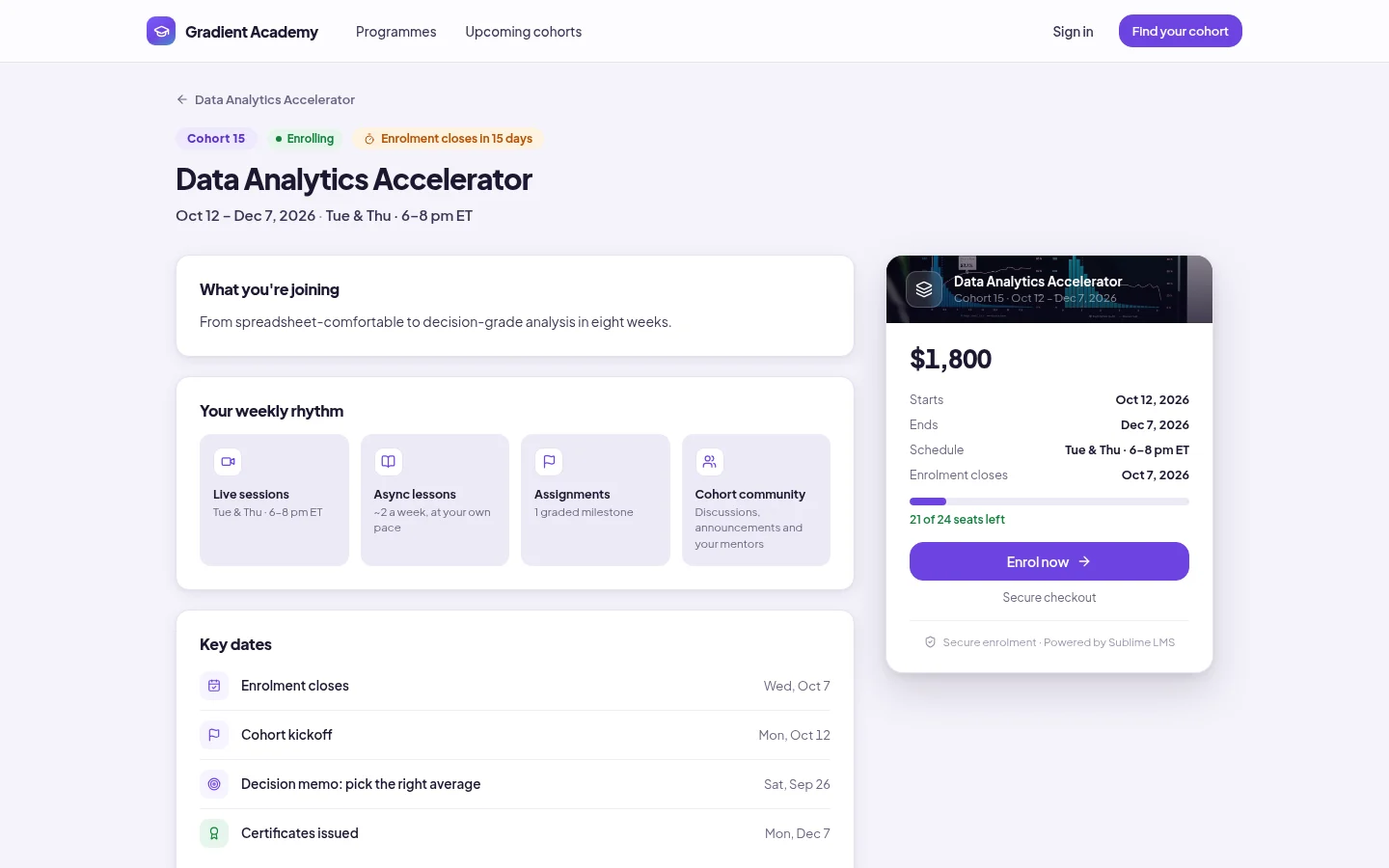
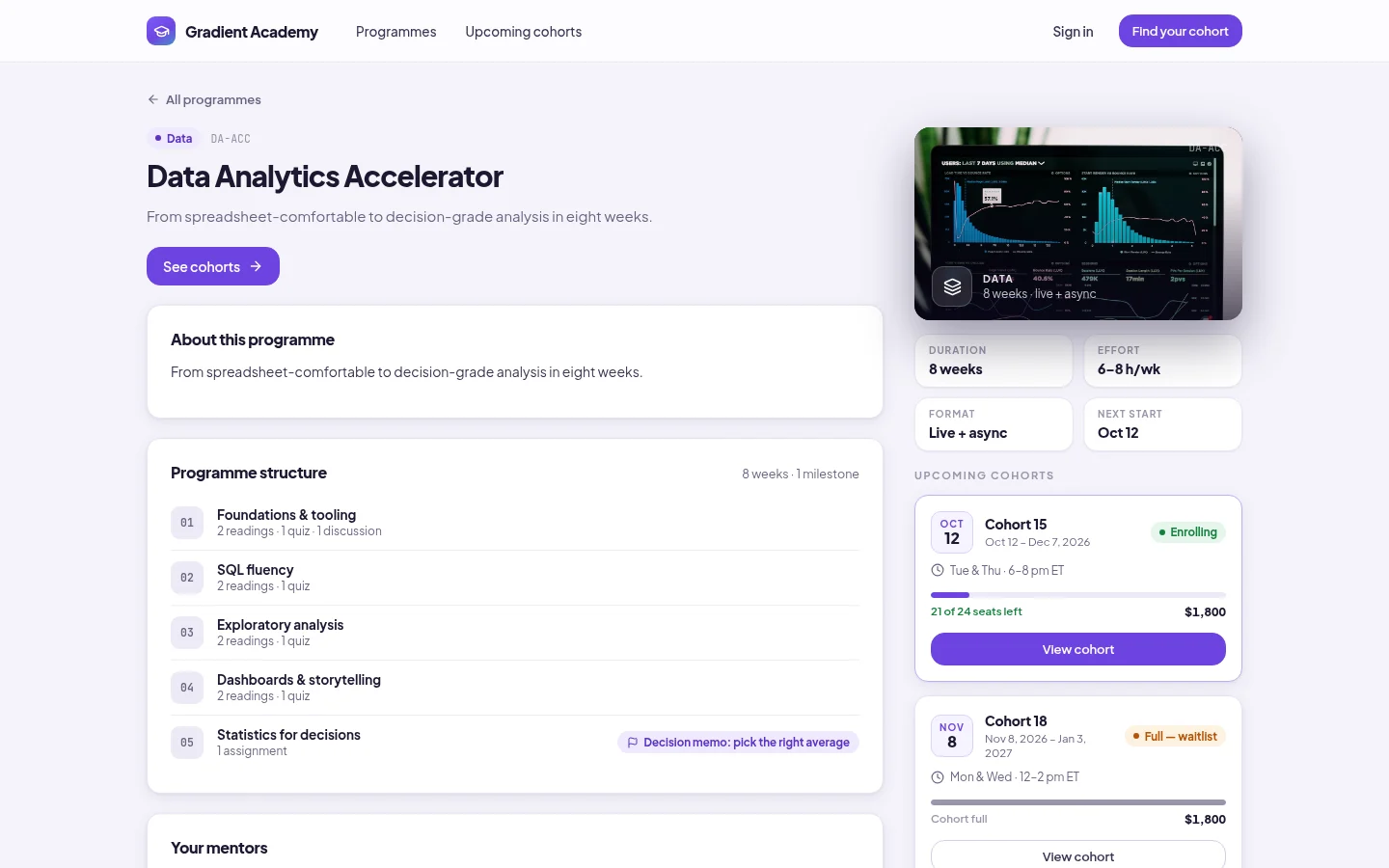
Public course page. Every program and cohort has a public page with its structure, schedule, key dates, price and seats left — and the button that starts checkout.
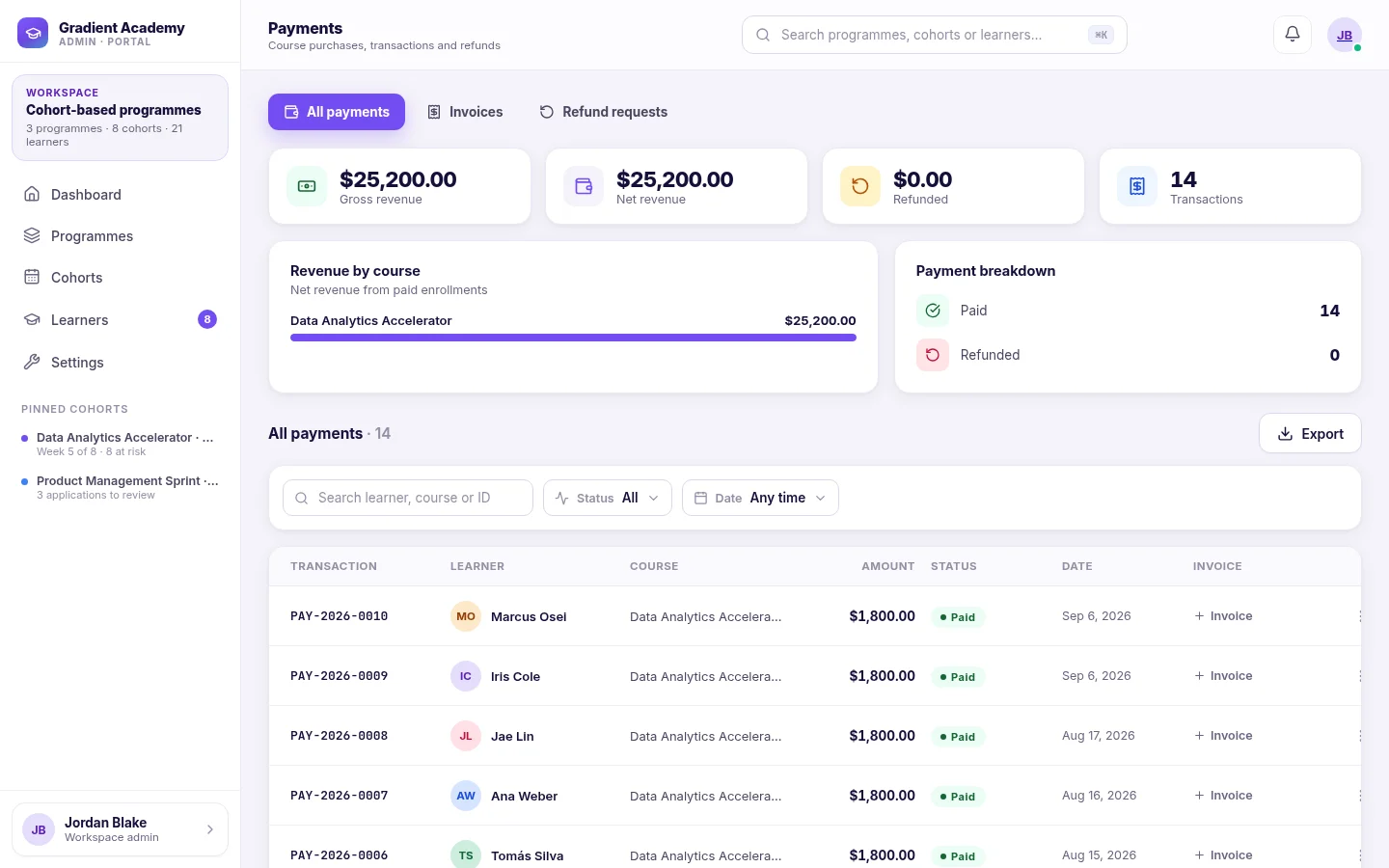
Payments. The payments view totals gross and net revenue, refunds and transactions, breaks revenue down by course, and lists every payment with an invoice.
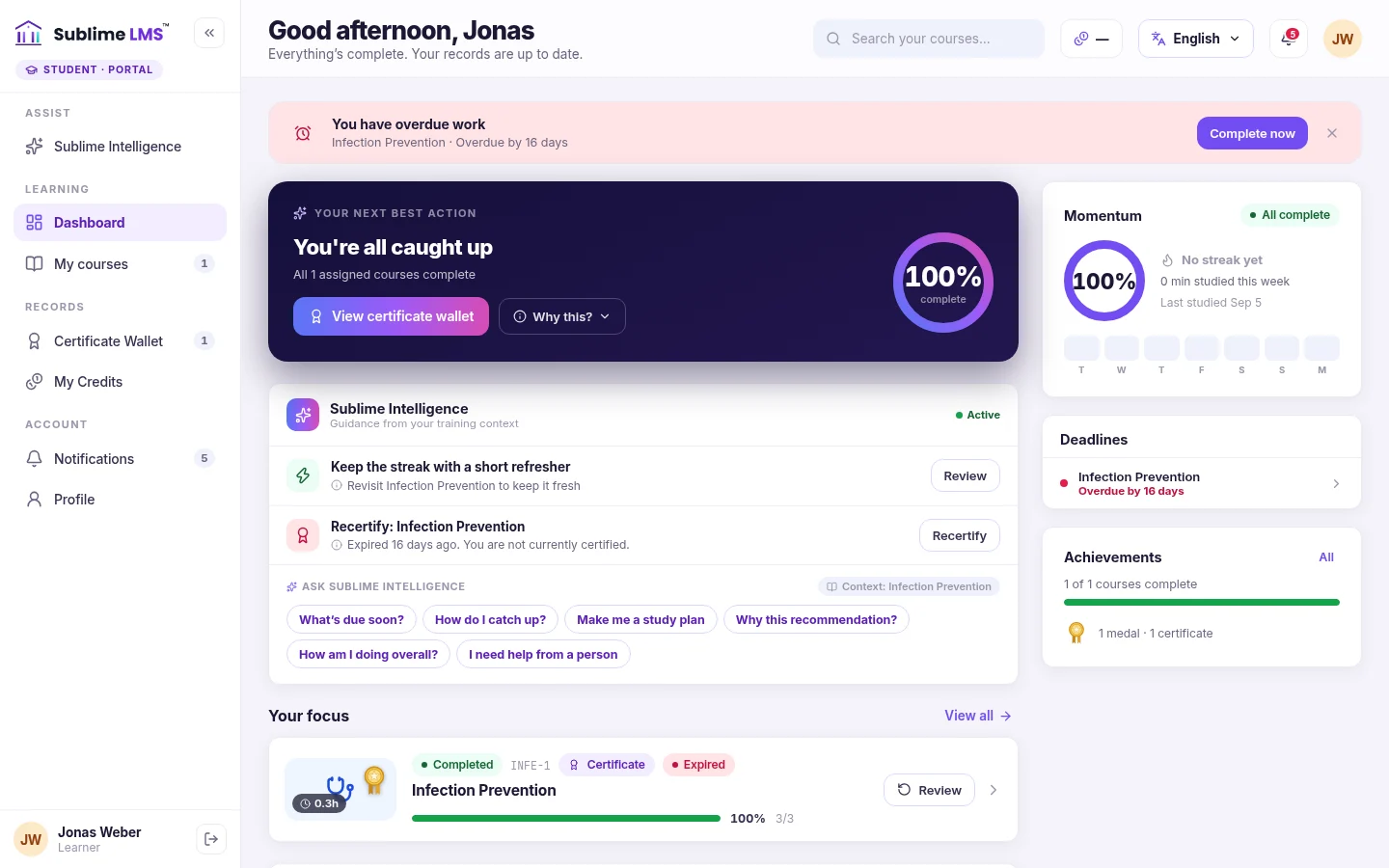
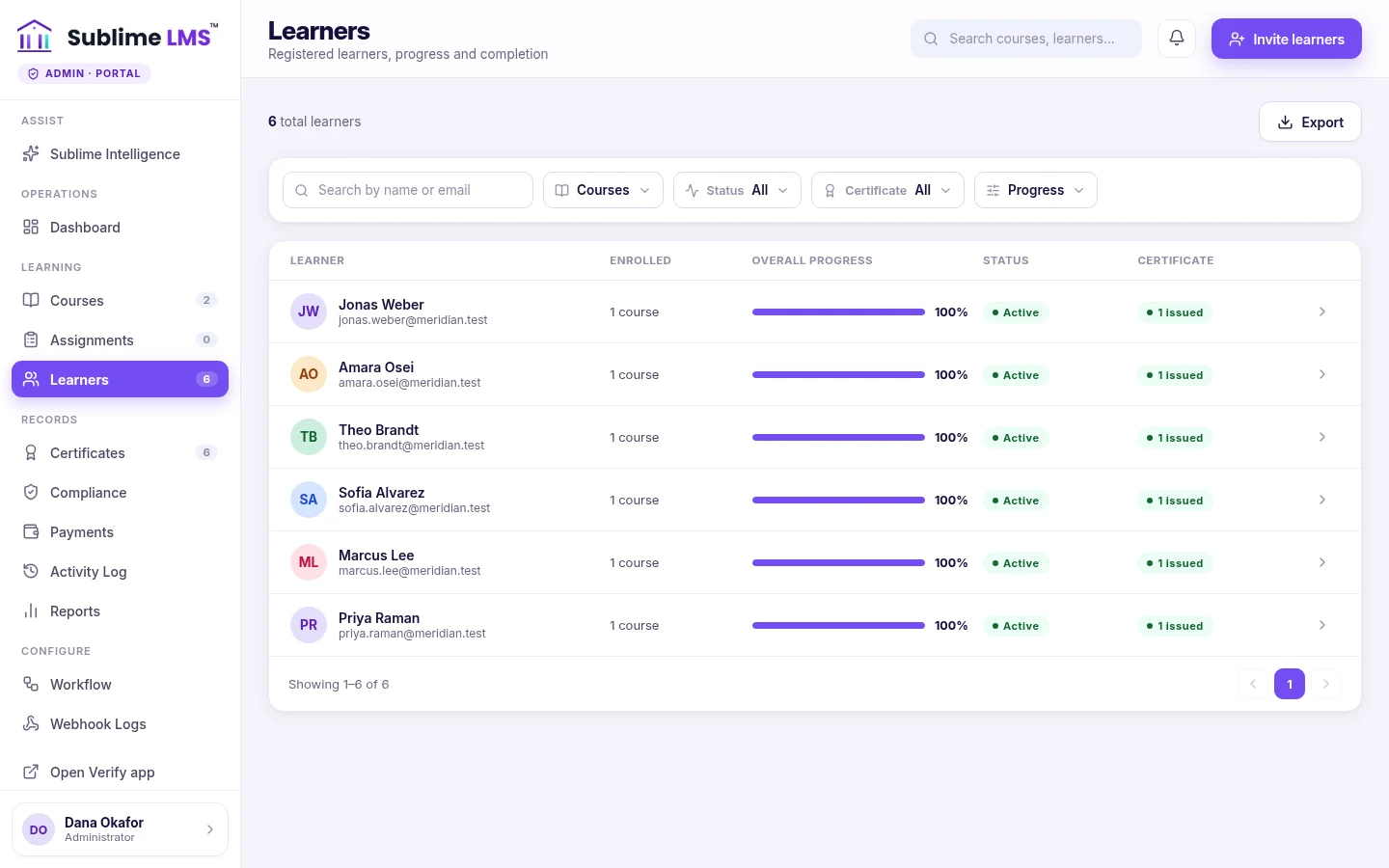
Learner experience. Buyers get a dashboard that leads with their next step, their courses, deadlines and everything they've earned.
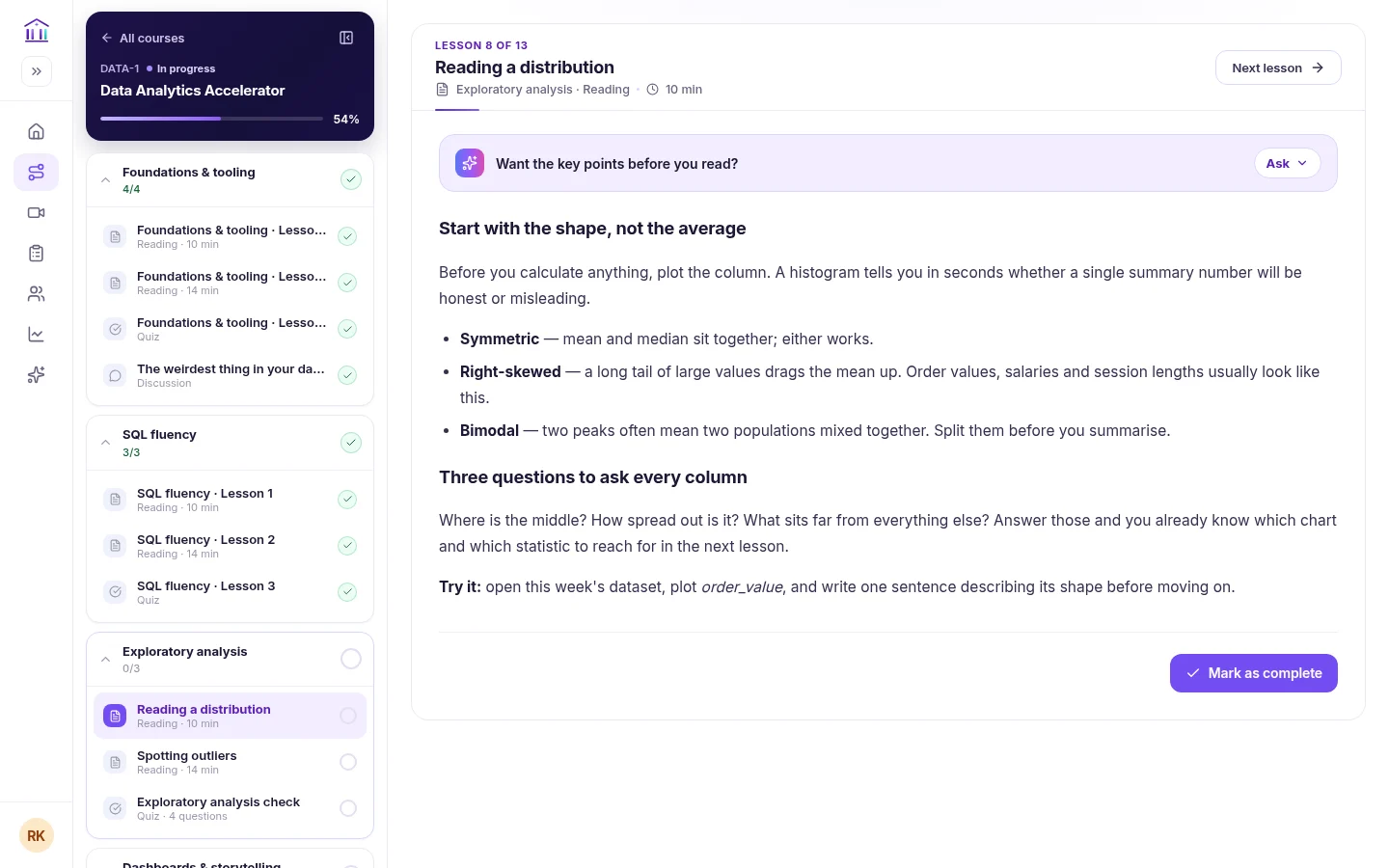
Course player. The player keeps the outline beside each lesson, ticks off completed work and resumes where the learner stopped.
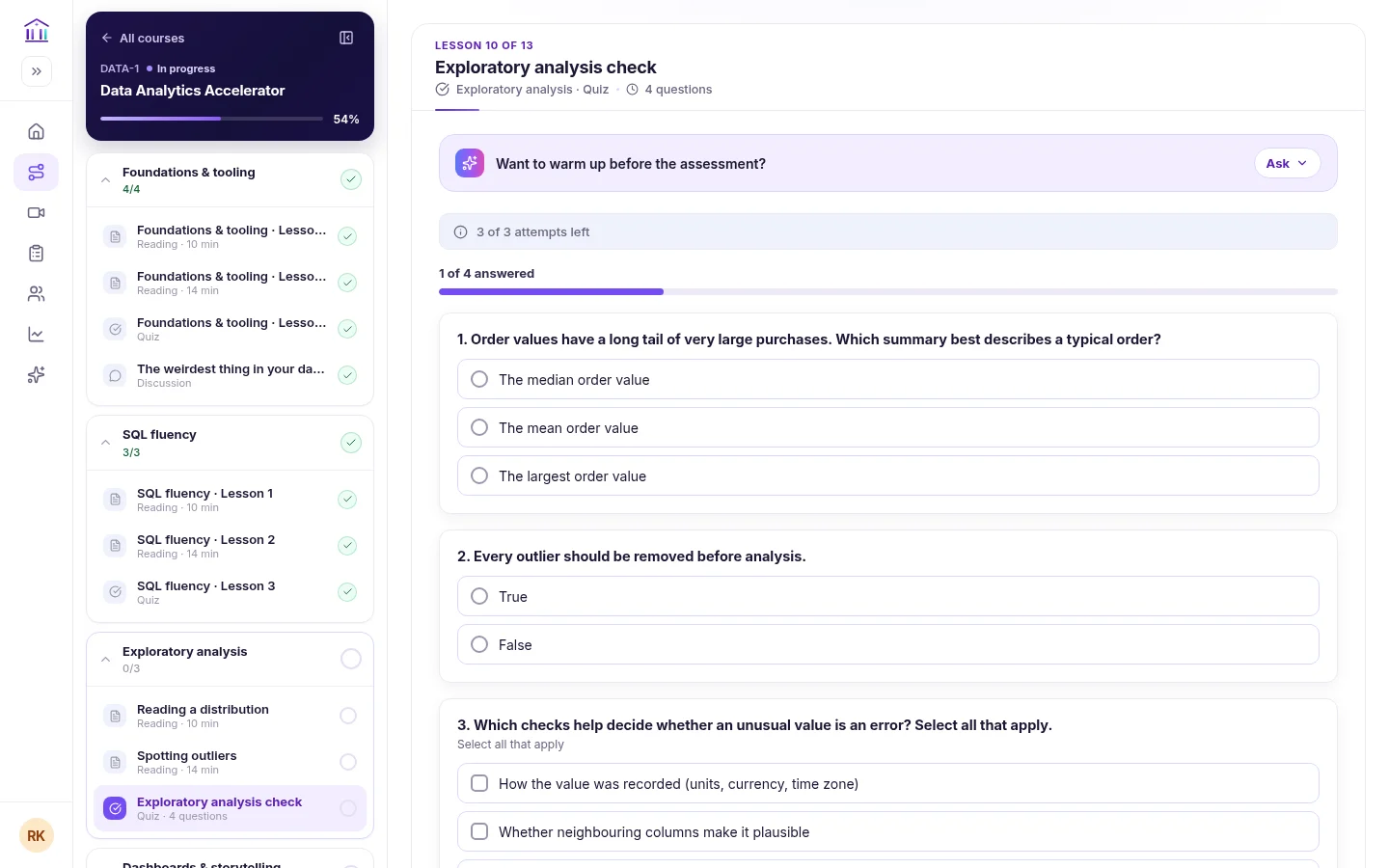
Quizzes. Quizzes state attempts left and questions answered, with pass marks and six question types.
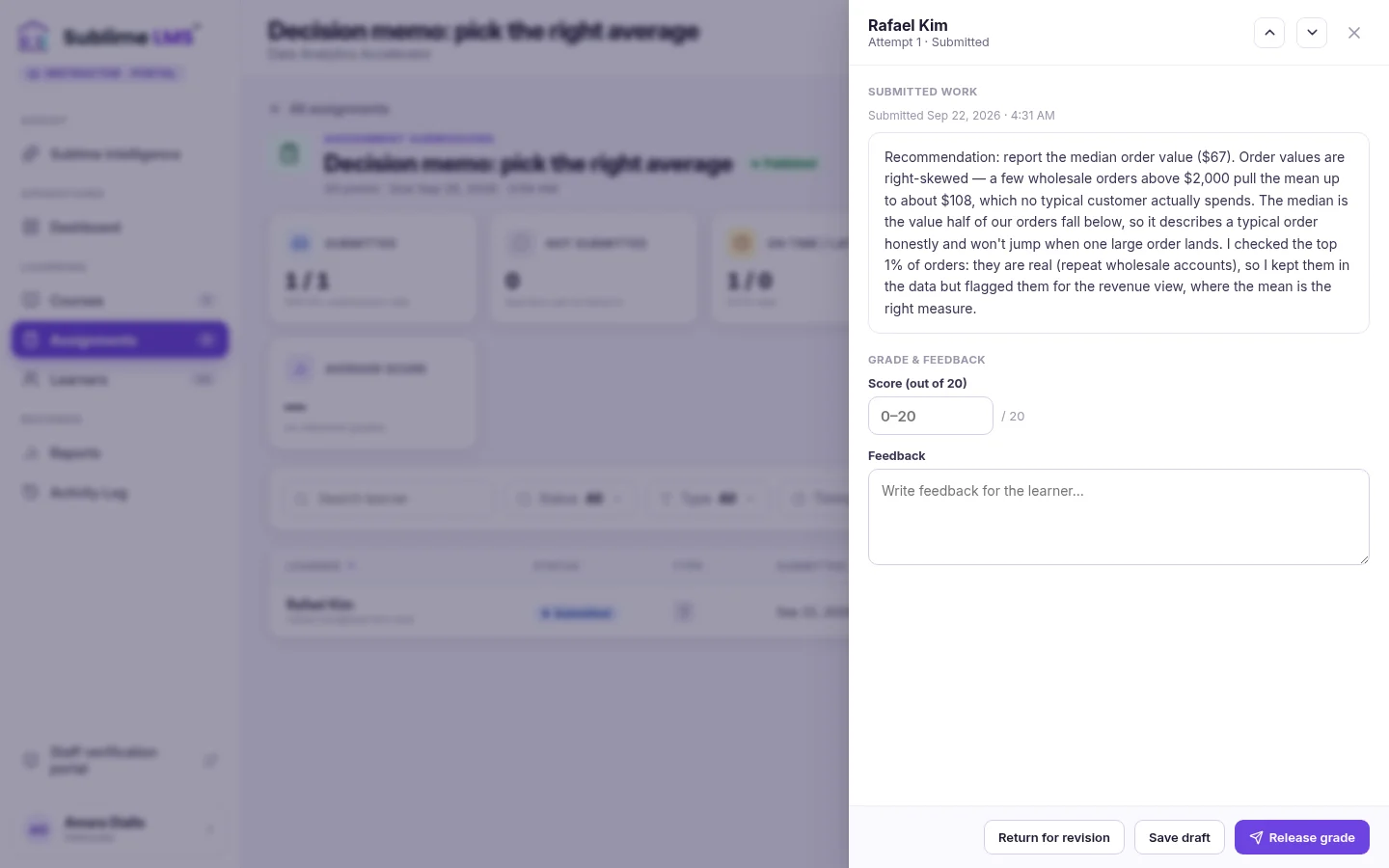
Assignments & feedback. Instructors review each submission beside a score and feedback box, then release the grade or return it for revision.
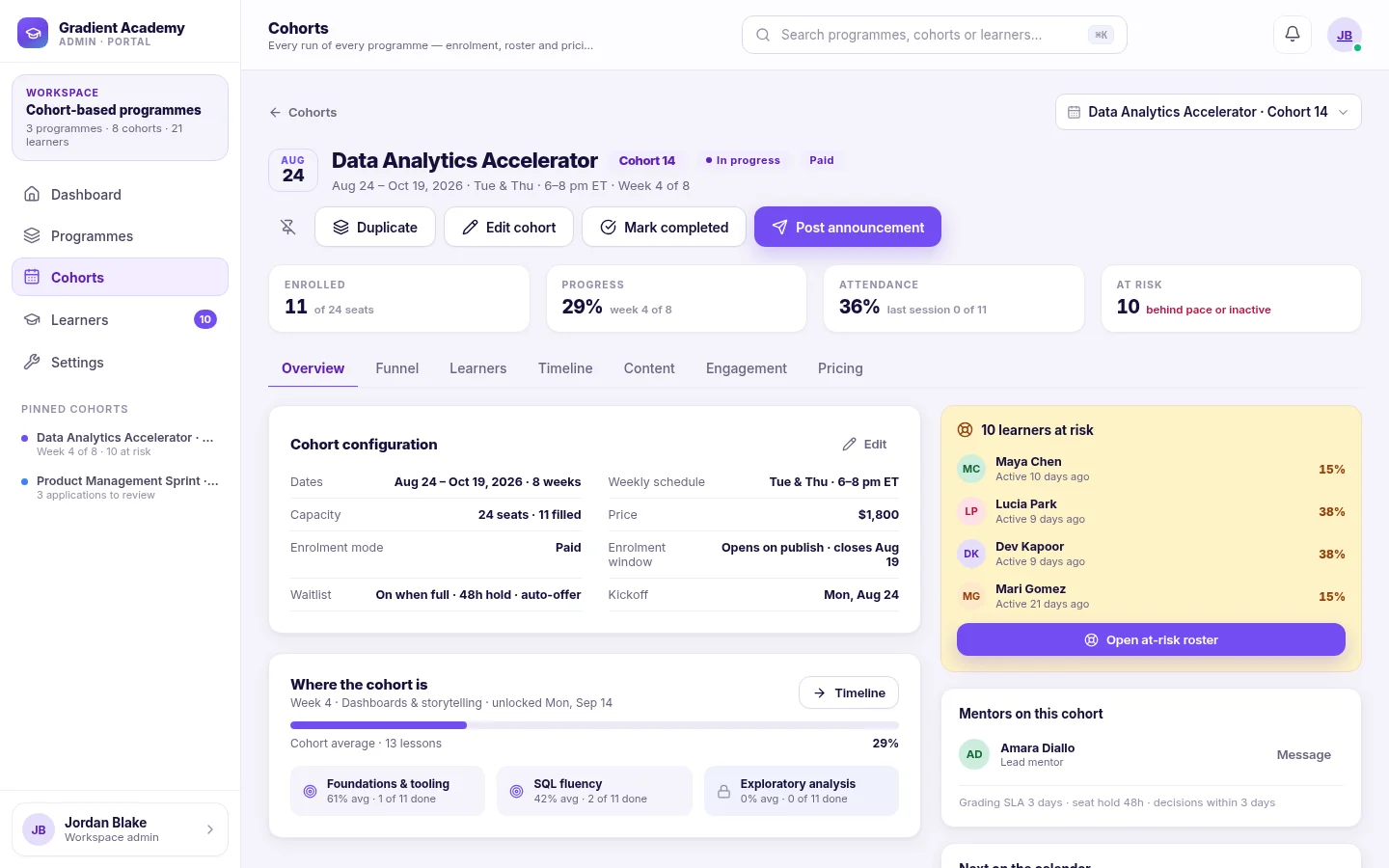
Cohorts. Run the same program as scheduled cohorts — each with its own dates, seats, price and roster, and its own weekly rhythm.
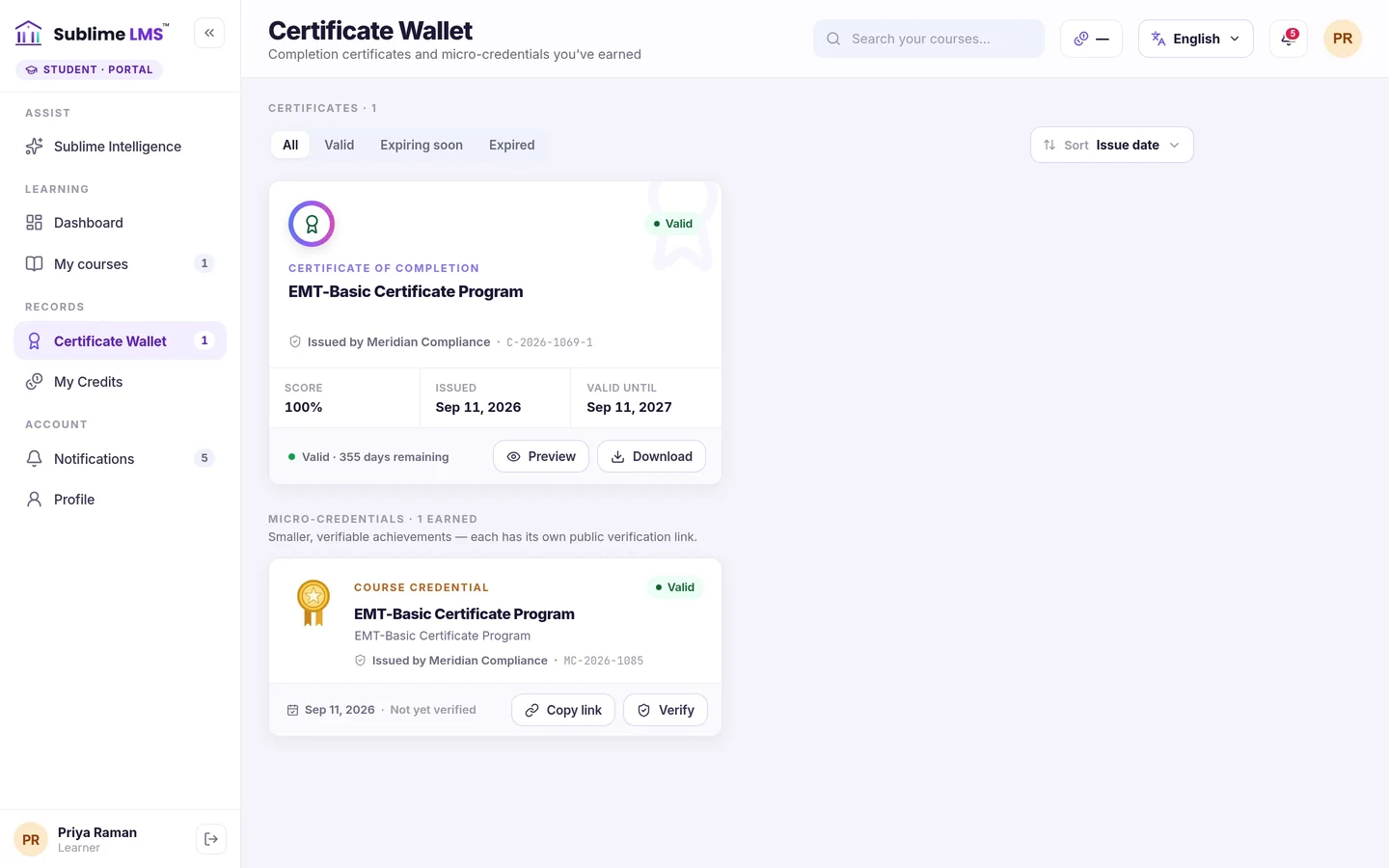
Certificates. Completion issues a certificate learners keep in a wallet, download as a PDF and share with a public verification link.
Enrollment and payment in the platform
Learners find the program page, see what they're joining and pay — and the seat, the roster and the receipt all follow automatically.
- Stripe-hosted checkout — card details never touch Sublime LMS, and the seat is confirmed when payment lands.
- Coupon codes — the learner sends a code, never a price; the server works out the discount.
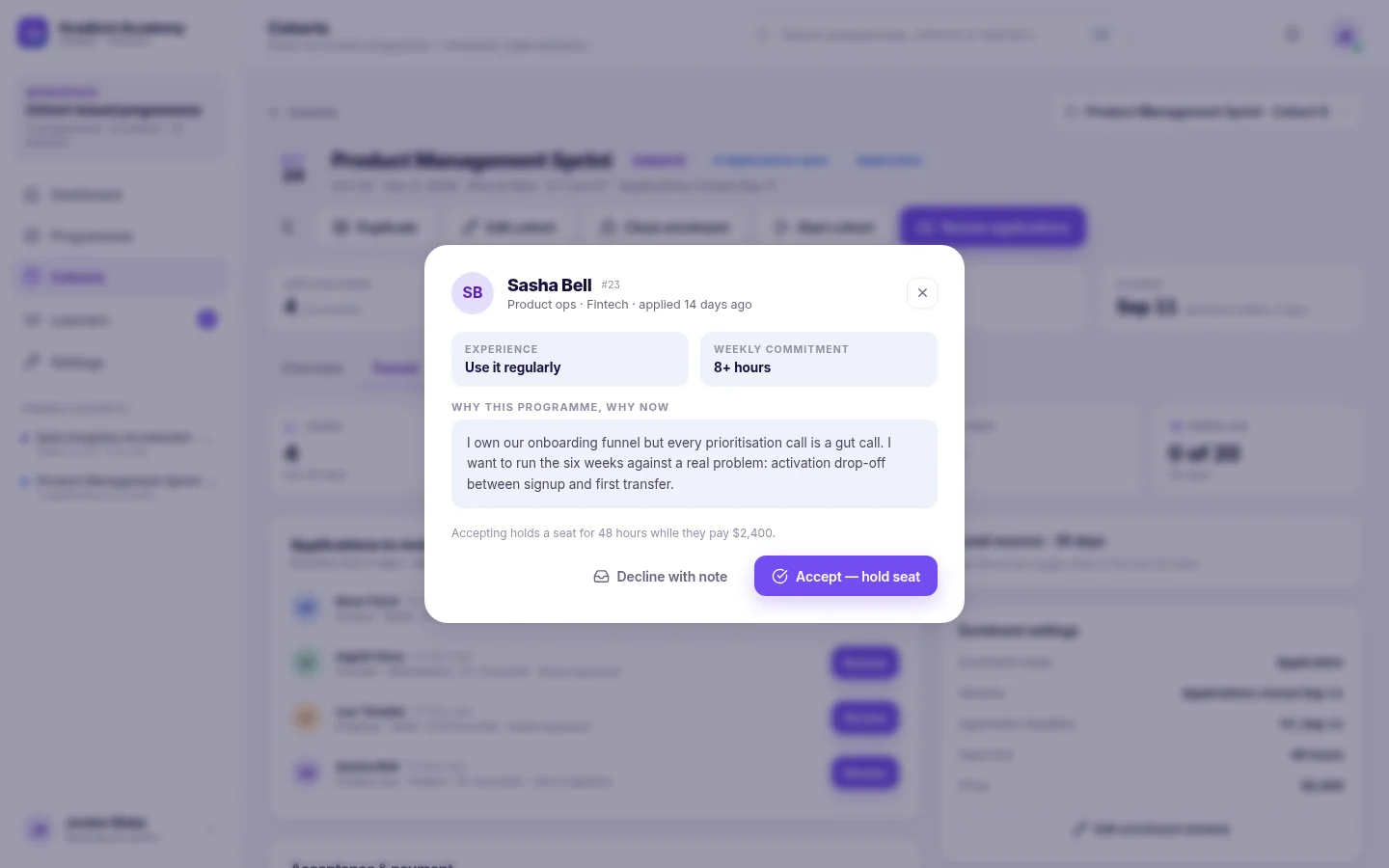
- Four ways in per cohort — free, paid, application or waitlist, with seats held while an accepted applicant pays.
- Invoices and refunds — raise an invoice from any payment, and review learner refund requests in one queue.
Outcome: one place for the sale and the learning, instead of a checkout tool that hands off to a course tool.
The page buyers land on
Your program's structure, format and effort, with every upcoming cohort and how many seats are left.
Selective or first-come
Take everyone who pays, or review applications first and hold a seat for the ones you accept.
A course that feels like a course
Lessons in order, progress that follows the learner and a portal that carries your name.
- Six lesson types — readings, videos with transcripts, files, quizzes, assignments and discussions.
- Self-paced or cohort-based — sell evergreen access, or run scheduled intakes with weekly unlocks and live sessions.
- Your branding — logo, sender identity, portal branding and your own domain, on Sublime Live.
Outcome: buyers get a professional learning experience, not a folder of videos.
Instructor feedback, in one queue
The thing buyers pay a premium for is a human reading their work. Sublime LMS makes that practical.
- Text, file or link submissions — essays, worksheets, a repo or a deployed demo.
- Score, comment and release, or return the work so the learner can try again.
- Notifications with a shortcut to review, and arrows to move to the next learner.
Outcome: feedback keeps its value as you grow, because reviewing is a queue, not an inbox.
Revenue and completion in the same place
You can see what each course earned and how far its buyers actually got.
- Revenue by course, every transaction, and refunds — exportable.
- Every learner's progress, status and certificate across your catalog.
- Cohort health — seats filled, progress, attendance and who is falling behind.
Outcome: the sales picture and the delivery picture come from the same system.
Your team and your customers
Learners & customers
Enroll and pay from the public page, learn in the portal, take quizzes, submit work, read feedback, and download a verifiable certificate.
Instructors & mentors
Work in the courses they're assigned: edit content, add learners, review and grade submissions, and follow their learners' progress.
You, the business owner
Create courses and cohorts, set prices, coupons and enrollment modes, handle invoices and refunds, and see revenue, progress and certificates.
Sublime LMS is the learning and enrollment platform — it isn't a marketing suite: there are no sales funnels, order bumps, upsells, affiliate tracking or email campaigns. The instructor workspace, analytics and exportable reports are part of Sublime Live.
Ways course businesses use Sublime LMS
-
Paid cohort programs
Scheduled intakes with a seat price, a waitlist when they sell out and a weekly rhythm once they start.
See the screen for Paid cohort programs -
Self-paced courses
Evergreen courses learners buy and work through in their own time, resuming where they left off.
See the screen for Self-paced courses -
Professional training
Programs that end in a certificate buyers can show, backed by a public verification link.
See the screen for Professional training -
Video-led courses
Native uploads or YouTube and Vimeo embeds, with transcripts alongside the video.
See the screen for Video-led courses -
Feedback-led programs
Assignments reviewed by a real instructor — the reason your program costs more than a video library.
See the screen for Feedback-led programs -
Application-based intakes
Review who joins, accept with a note and hold their seat while they pay.
See the screen for Application-based intakes
One platform, fewer moving parts
Sale and delivery connected
The payment, the seat and the roster are the same record, so nobody is chased for access.
Repeatable launches
Duplicate a cohort for the next intake; the course content carries over untouched.
Credible completion
Graded work and verifiable certificates give your program something a video library can't.
Run the whole course business in one platform
See how a paid program runs in Sublime LMS — from the page buyers land on to the certificate they finish with.